

Create a Holiday Postcard in Adobe Illustrator
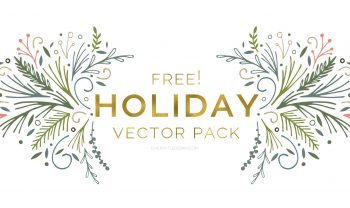
Piggybacking off of last week’s tutorial, this week we’re creating a holiday postcard in Adobe Illustrator! We’ll be using the free vectors from the holiday vector pack
LETTERING + GRAPHIC
DESIGN LEARNING
Piggybacking off of last week’s tutorial, this week we’re creating a holiday postcard in Adobe Illustrator! We’ll be using the free vectors from the holiday vector pack
Ever battled self doubt as a graphic designer or as a creative in general? I’m going to go ahead and assume the answer is yes to that one 😉 It’s definitely
Welcome to the first holiday tutorial of the season! To kick things off, I thought it would be fun to create custom holiday gift wrap in Adobe Illustrator. Since gift wrap
Happy November! This year is seriously cruising by. Before we know it, we’ll need to start sending out holiday cards, and if you’re feeling ambitious, diy’ing some printable design work. I’ve
Last week, we created a realistic foil stamp effect using only illustrator and a seamless foil texture. This week, we’re borrowing some of the same tips, but simplifying. If
Today’s the last Thursday in October, so it’s time for your free November 2016 desktop wallpapers! This month’s wallpaper was hand lettered on an iPad Pro using an Apple pencil. Here
This past January, we created a foil stamp effect in Photoshop, and I’ve recently had a few requests on how to accomplish the same look in Illustrator. With
Three years ago this week, before I ever thought a full time design blogger was something I’d be, I published my first blog post on Every-Tuesday. The post was a halloween
With the launch week of Brush Lettering with Watercolor coming to a close, I thought it would be fun to tie colorful letters into a quick tip design tutorial.
In Tuesday’s post when I introduced my newest course, Brush Lettering with Watercolor, I mentioned that when I started brush lettering with watercolor, it was the
We use cookies to customize and create content that’s most important to you. We’ll never share the info we collect.